
Mastering IP Address Management with Azure Virtual Network Manager IPAM - Part 2
 Stephen Tulp
February 5, 2026
3 minutes to read
Introduction
In Part 1 of this series, we explored the architecture and capabilities of Azure Virtual Network Manager (AVNM) IPAM, and how to implement it using Bicep. In this second part, we’ll focus on integrating AVNM IPAM with Azure Landing Zones, specifically Subscription Vending and Application Landing Zones, to automate IP address allocation and management across your Azure environment.
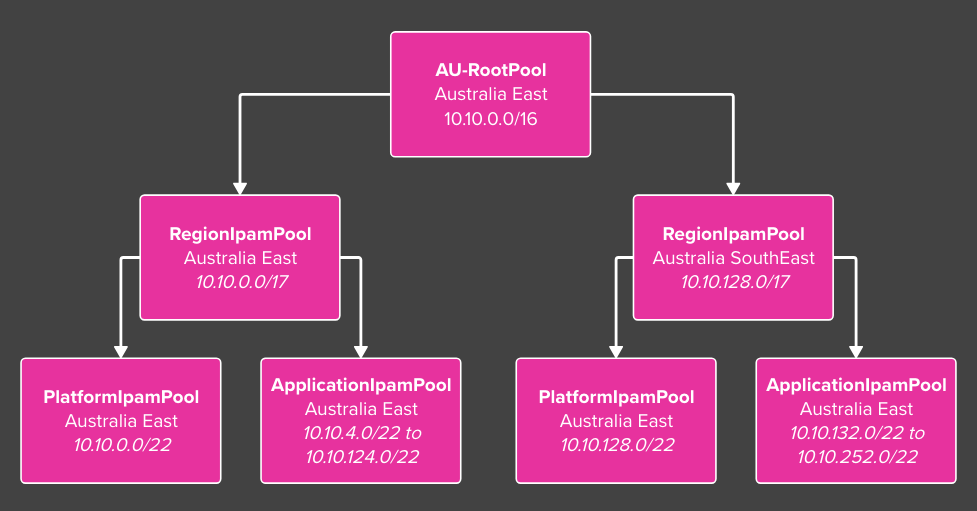
The diagram below recaps the IPAM structure and for the Subscription Vending and Application Landing Zones, we will use the applicationIpamPool-australiaeast IPAM pool as the source for IP address allocation.
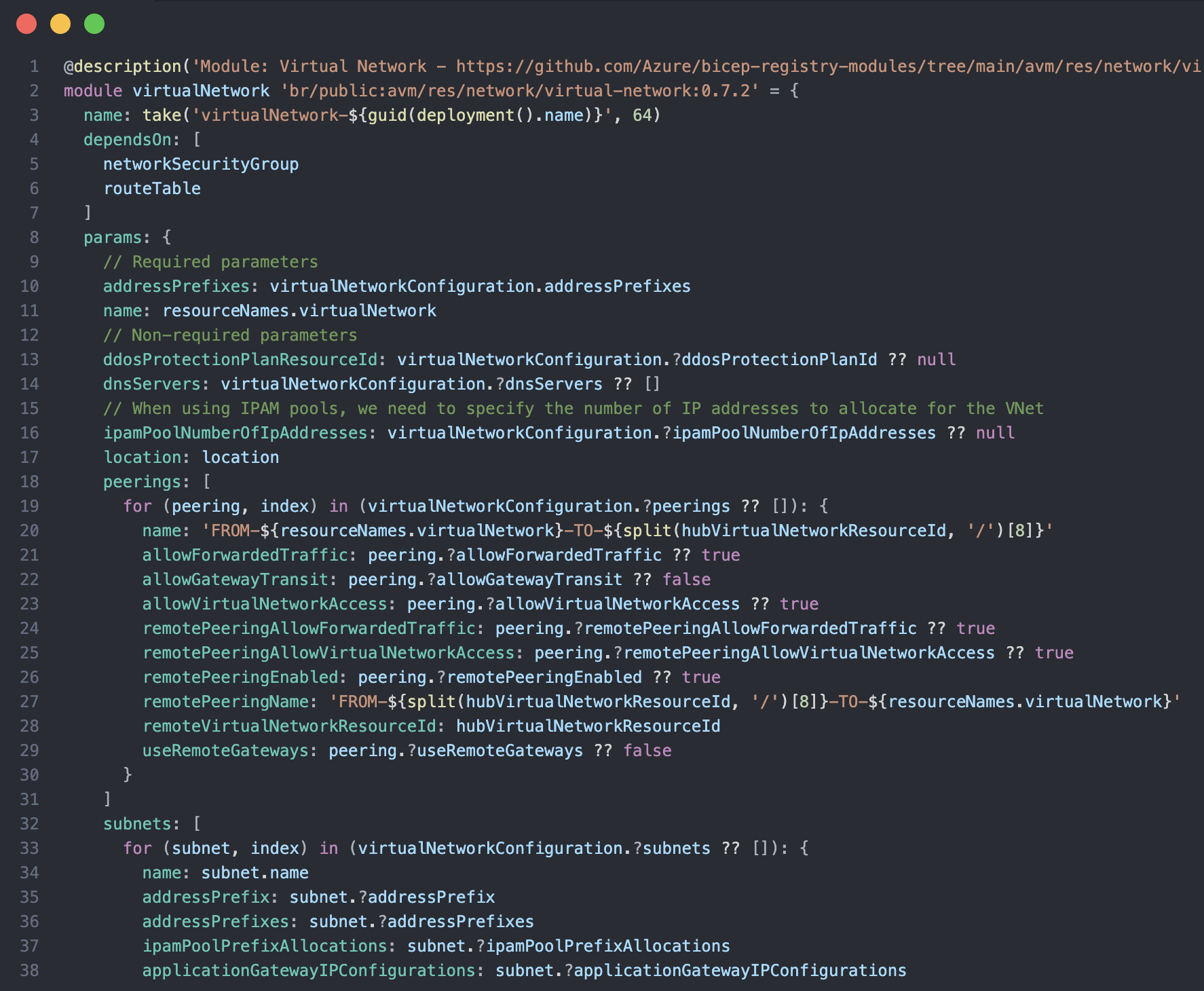
The first thing that we need to do is make sure that we are surfacing the right parameters in the virtual network module that we are using in the spoke networking. There are 2 parameters that we need to have in place, ipamPoolNumberOfIpAddresses and ipamPoolPrefixAllocations in the subnet block. The ipamPoolNumberOfIpAddresses parameter defines the size of the IP address range that the virtual network will receive from the IPAM pool, while the ipamPoolPrefixAllocations parameter contains the configuration for subnet allocations, including which IPAM pool to use and how many IP addresses each subnet should receive.
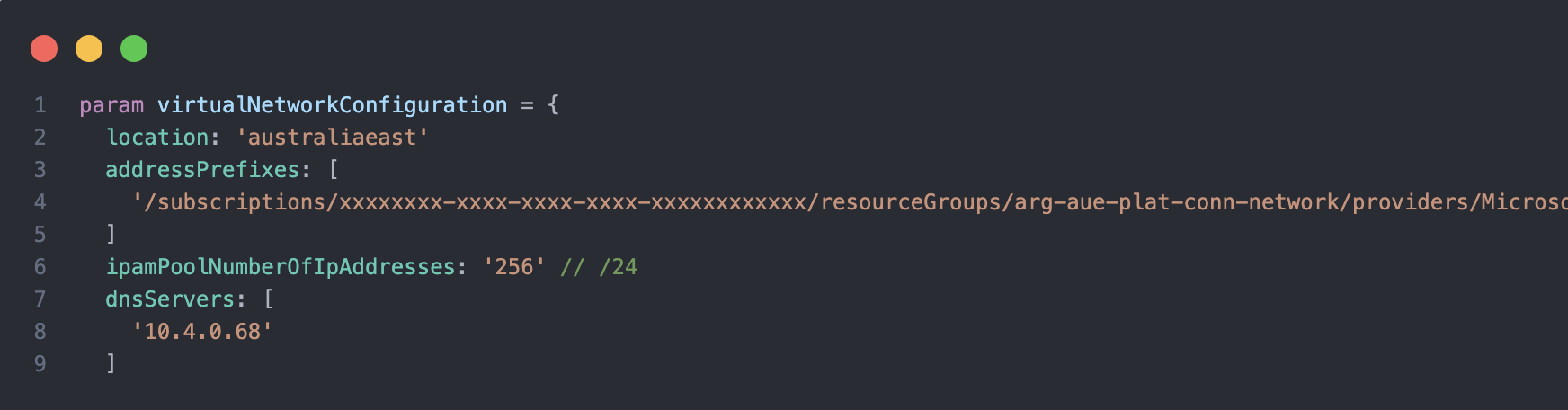
We leverage a User Defined Type (UDT) to define the parameters for the virtual network and subnet, which allows us to ensure type safety and consistency across our Bicep modules. The addressPrefixes parameter takes the Resource Id of the IPAM pool, and the ipamPoolNumberOfIpAddresses parameter takes the number of IP addresses that we want to allocate to the virtual network.
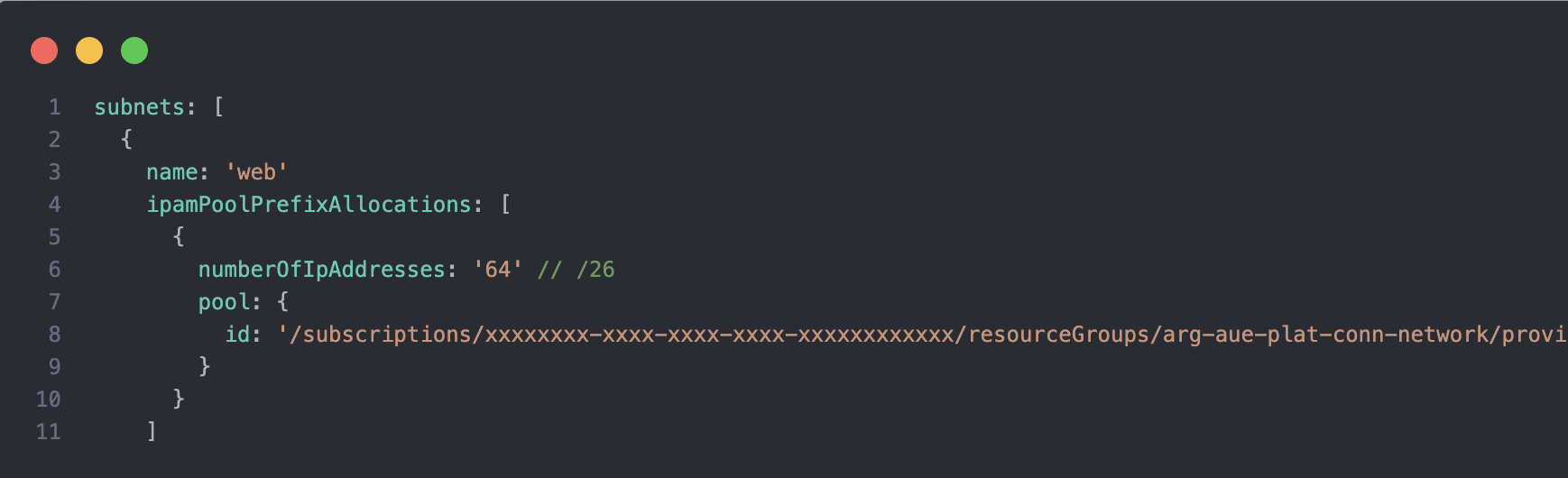
The subnet block is within the UDT and the ipamPoolPrefixAllocations object includes the numberOfIpAddresses parameter, which specifies the number of IP addresses that we want to allocate to each subnet and the Id of the IPAM pool.
Once provisioned in the portal you will see a different UI experience for the Address space, you can choose to use a different pool and also increase the size of the virtual network by increasing the number of IP addresses that are allocated to the virtual network.

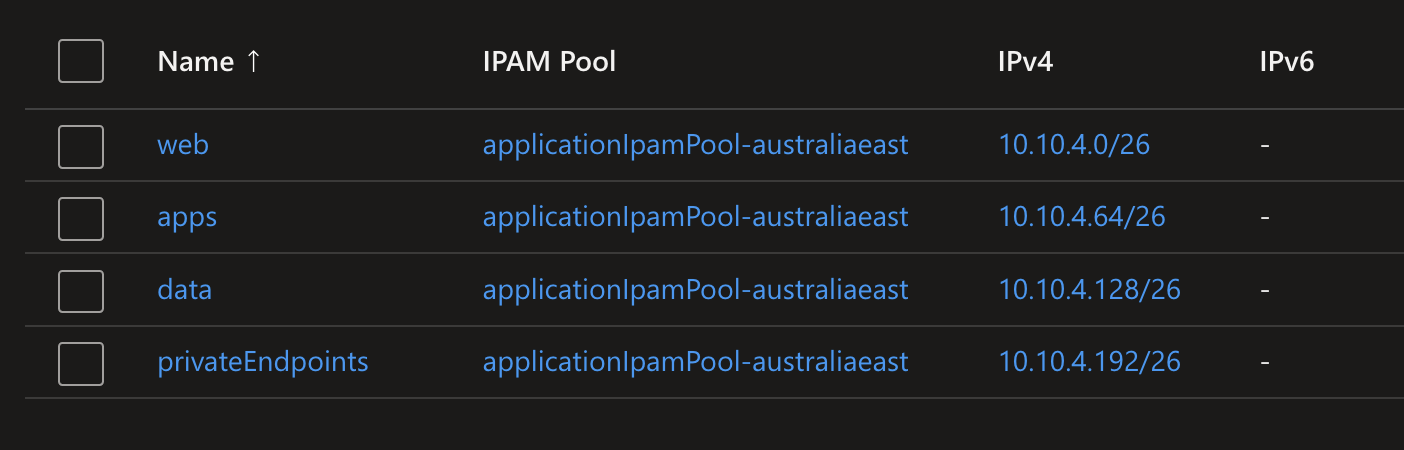
The subnet UI experience is also different, you can see the IPAM pool that is associated with the subnet and the number of IP addresses that are allocated to the subnet.
Conclusion
The integration of AVNM IPAM with Azure Landing Zones allows for centralised and automated management of IP address allocation across your Azure environment. By leveraging Bicep and User Defined Types, you can ensure consistency and type safety in your infrastructure as code implementations. This approach not only simplifies the management of IP addresses but also enhances the scalability and maintainability of your Azure landing zones. I just finished my first customer engagement where I used this approach and for the small amount of Application Landing Zones so far, it has been a great success.
The updated templates, including the Subscription Vending Bicep files can be found in my Repo.