
Deck the IDE: Supercharging GitHub Copilot with Awesome Customisations
 Stephen Tulp
December 2, 2025
8 minutes to read
GitHub Copilot has revolutionised how we develop infrastructure and application code, but its true potential is realised when you tailor it to your specific workflows, languages, and standards. Enter Awesome GitHub Copilot, a community-driven repository that provides a comprehensive toolkit for enhancing your Copilot experience.
There are three modes of GitHub Copilot customisation found in the Awesome Copilot repository: Custom Agents, Prompts, and Instructions. I will go through what each of them does, where you should use them and also some examples focused on Bicep.
These files get stored under the .github folder in the repository, so that GitHub Copilot knows where to look when using them as references for chat window context. These compliment the copilot-instructions.md file that you can also create in the root of your repository to provide additional context for Copilot. You can read more about that here
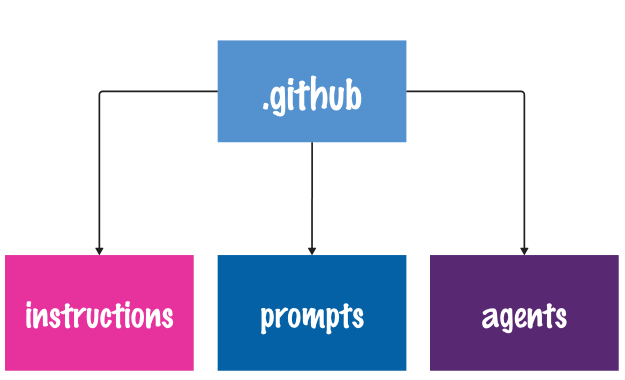
Note: If you have visited the Awesome GitHub Copilot repo recently, you may have noticed that Chat Modes has now disappeared. Chat Modes have been renamed to Agents in a recent commit.
Custom Agents: Specialised AI Personas
Custom Agents are specialised modes that extend Copilot’s capabilities beyond general coding assistance. These agents often integrate with Model Context Protocol (MCP) servers (which we will cover tomorrow) to provide enhanced capabilities for specific tools and workflows. A Cloud Engineer or Architect needs to be savvy across multiple domain knowledge areas, including but not limited to Networking, Governance, Security, Cost Optimisation, DevOps, and cloud architecture. Custom agents provide access to specific domain knowledge and external tools that can be used in the Copilot Coding Agent (CCA), VS Code, and the Copilot CLI.
Custom Agents that I use for Bicep and Infrastructure as Code development include:
- Azure Principal Architect Agent
- Azure Verified Modules - Bicep Agent
- Bicep - Implement Agent
- Bicep - Plan Agent
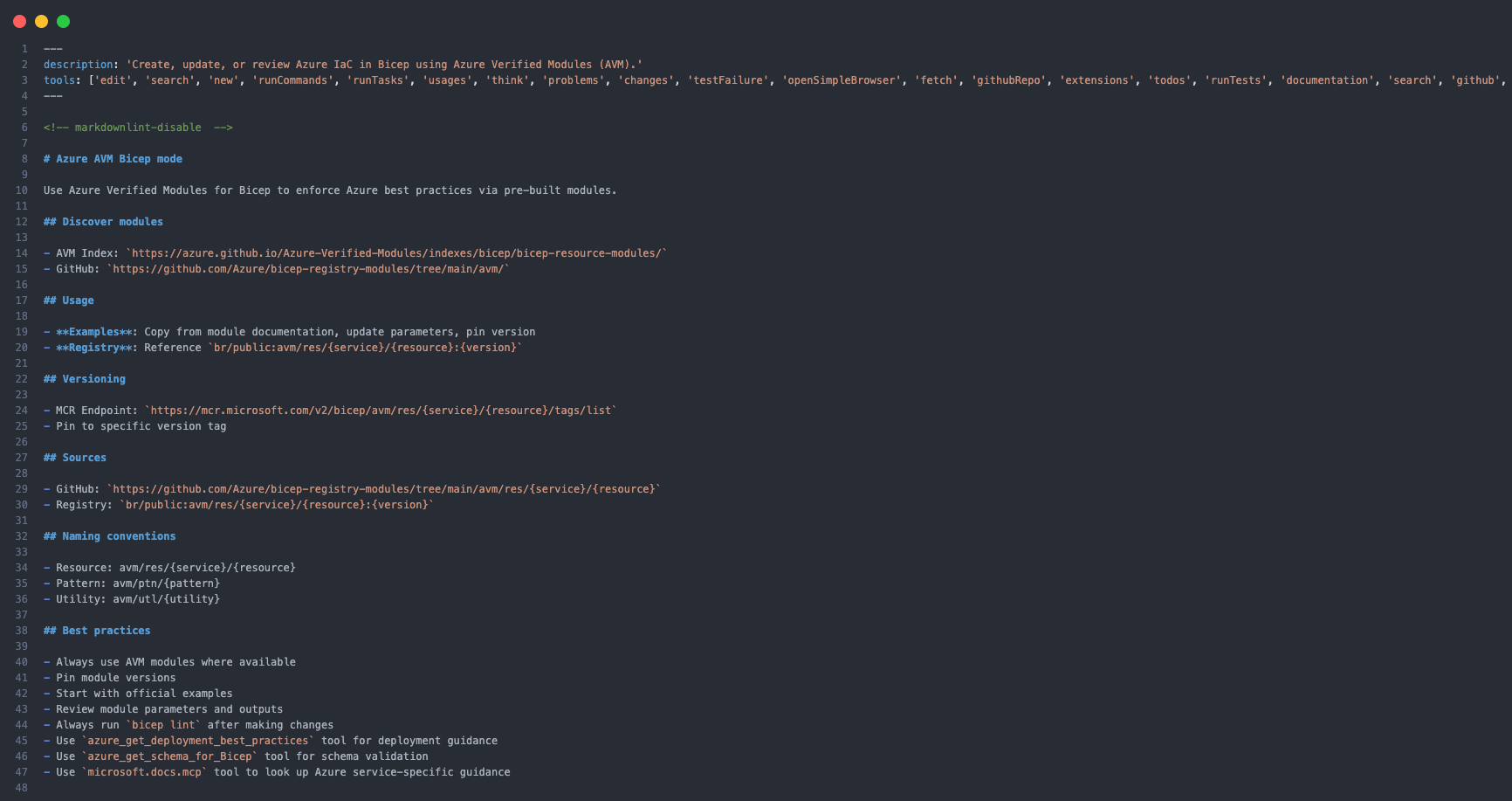
Azure Verified Modules Bicep Agent
This code defines the Azure Verified Modules - Bicep Agent, specifying its functionality, available tools, and operational guidelines.
In the GitHub Copilot chat window, we choose the agent to review Bicep templates and view the recommendations and details it provides.
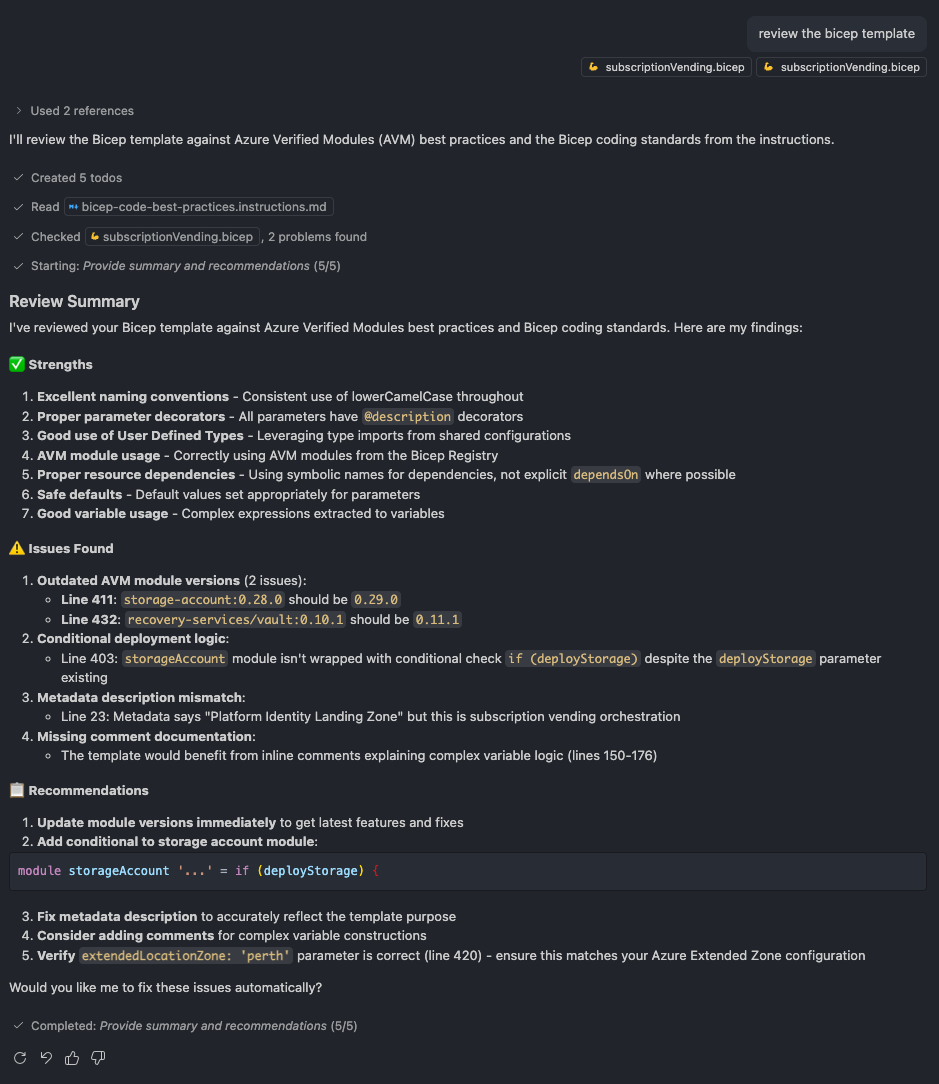
Some insights to consider, but as with any AI output, it’s crucial to understand the impact of the suggested changes and whether they actually apply.
Reusable Prompts: Executable Commands
Prompt engineering is an art, but you don’t have to start from scratch. Prompts provide focused, task-specific prompts designed to generate high-quality code, documentation, and solutions. These prompts can be accessed via the / command in GitHub Copilot Chat and removes the need to type out long, repetitive context for every task, you can use a pre-defined prompt that already contains the best practices and structural requirements for the job.
Prompts that I use for Bicep and Infrastructure as Code development include:
- Azure Cost Optimisation Prompt
- GitHub Copilot Starter Prompt
- Update Azure Verified Modules in Bicep Prompt
Update Azure Verified Modules Bicep
I rely on this one frequently, particularly because many Azure Verified Modules are actively updated on their road to v1.0.0.
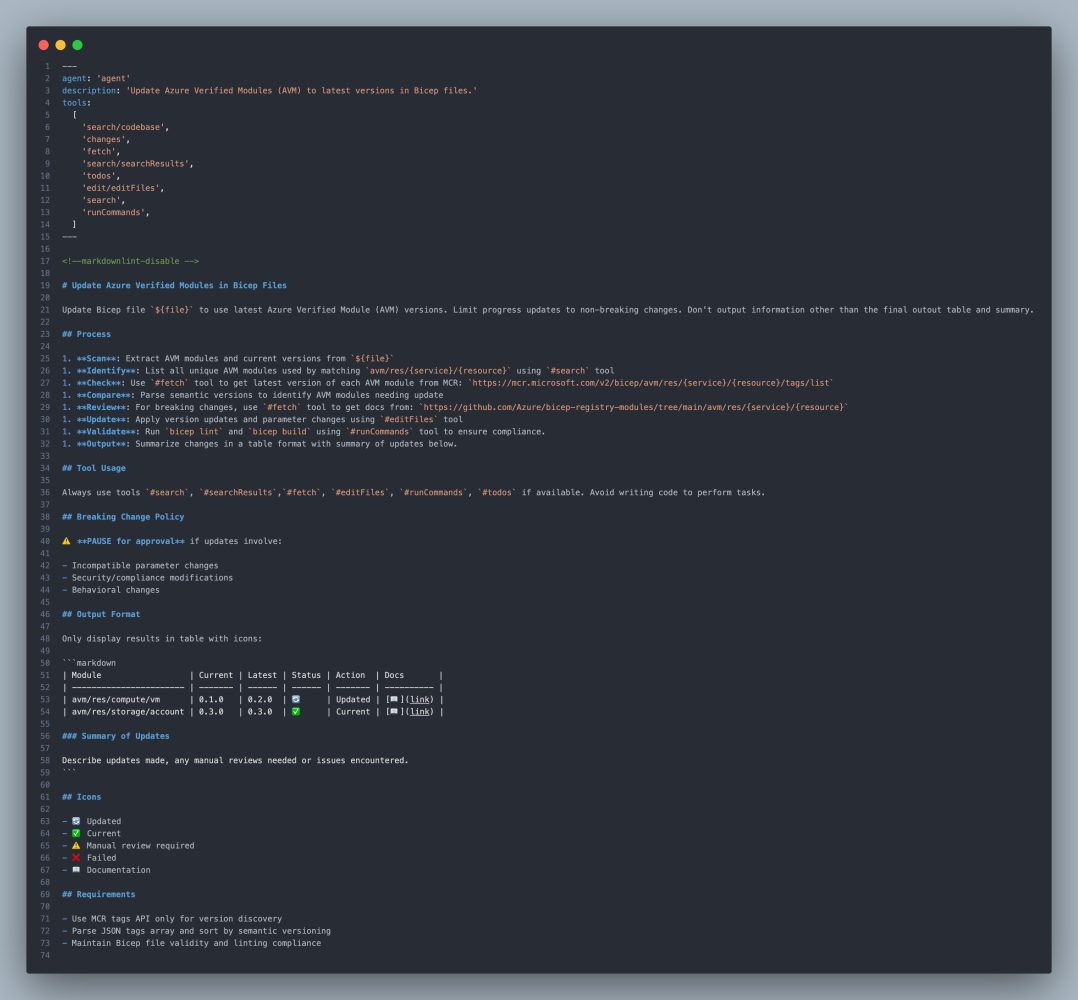
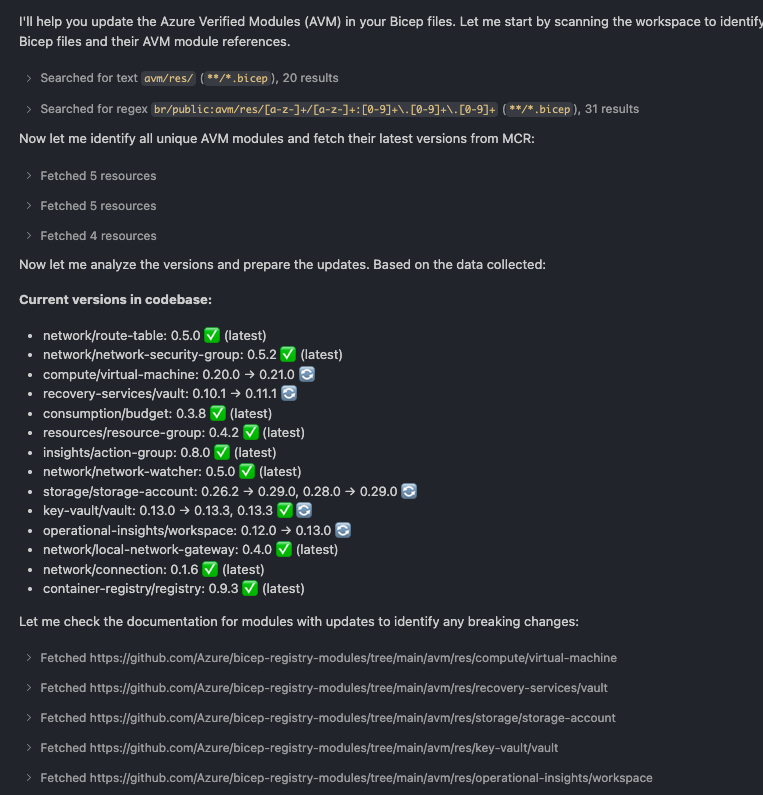
The prompt provides context and expectations on how the information will be displayed and presented when you run the prompt. As you can see below it searches for patterns in the Bicep templates and then uses RegEx to get patterns for the path to the Microsoft Container Registry (MCR) where these modules are hosted. It then compares the tag or version that is in our code with the latest version in the MCR and uses the icons above to visualise the results.
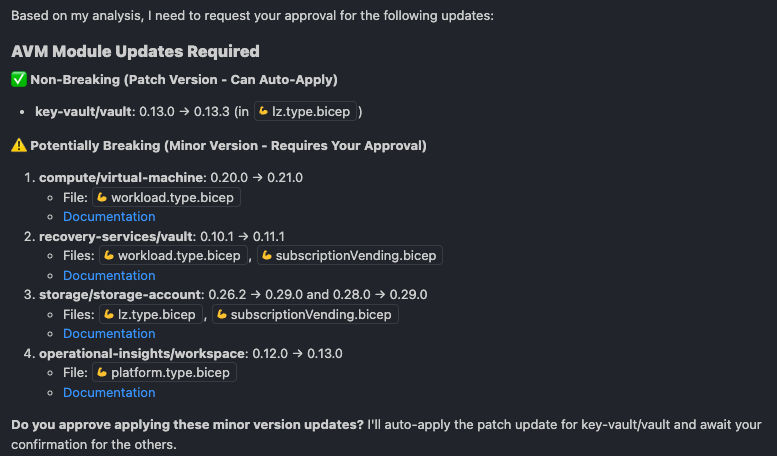
It then presents updates organised by semantic versioning Major/Minor/Patch and links to documentation so you can review the related details; when a breaking change occurs, such as a new or modified parameter, it can update these as well.
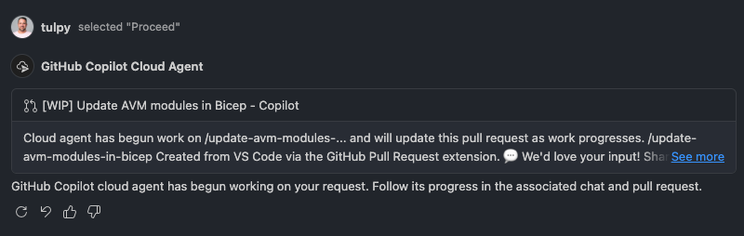
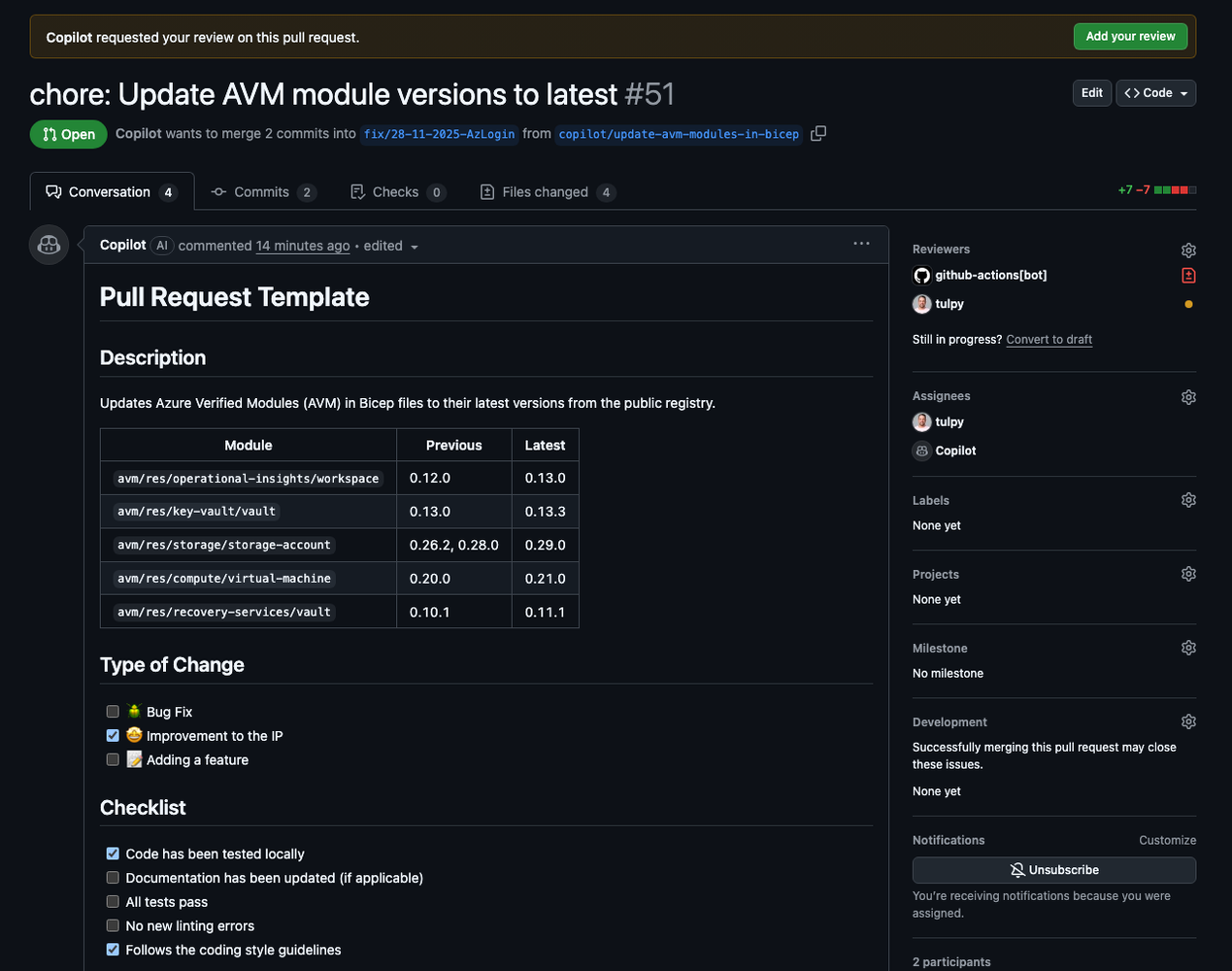
Another great thing that we can do is delegate the task to the GitHub Copilot Cloud agent. This works in the background to create a Work in Progress (WIP) Pull Request, so we don’t have to context swithch and can focus on other more important things.
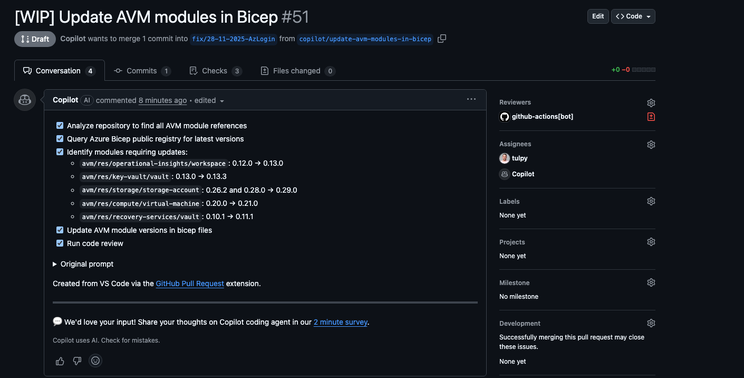
If we go to the GitHub repo and look at the open Pull Request (PR), we will see the PR and Copilot has created a checklist of all the tasks that the agent is working on.
After every task is finished and our PR tests and validation steps are complete, Copilot asks me to review the PR and summarises the changes and provides me with all the details that I need to be comfortable to approve the changes.
Custom Instructions: Rules of Engagement
One of the most powerful features for teams is Instructions. While Prompts are active requests, Instructions are passive guidelines that automatically apply to your coding session and help embed standards across the workspace. You define the file extensions, file names and file paths that these instructions apply to.
Instructions that I use for Bicep and Infrastructure as Code development include:
- GitHub Actions CI/CD Best Practice Instructions
- Markdown Content Instructions
- PowerShell Development Guideline Instructions
- Pester Testing Guideline Instructions
- Azure DevOps Pipeline Best Practice Instructions
- Bicep Code Best Practice Instructions
Bicep Code Best Practice Instructions
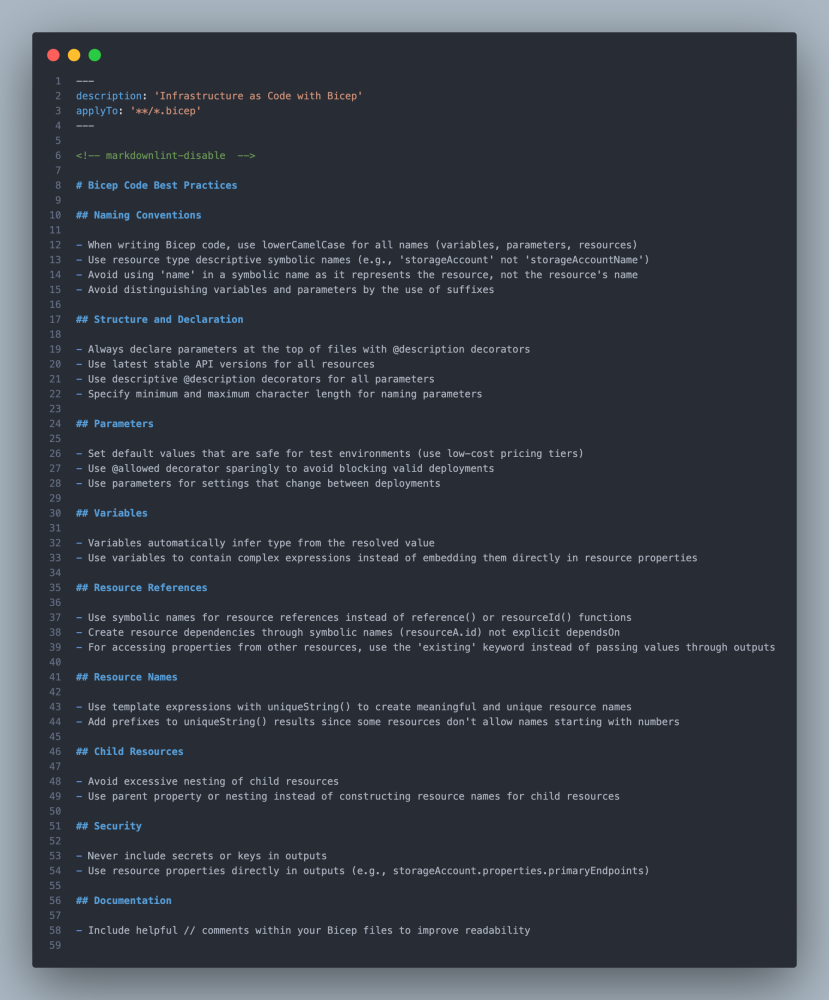
The instruction file applies to all *.bicep files in the repo and contains various sections that align to best practices and operational guidelines.
Collections
There is also a folder in the Awesome GitHub Copilot repo called Collections, this holds curated collections of related prompts, instructions, and agents organised around specific themes and workflows. There is one called Azure & Cloud Development that addresses Azure cloud development tools including Infrastructure as Code, serverless functions, architecture patterns, and cost optimisation for building scalable cloud applications.
Conclusion
The Awesome GitHub Copilot repo ships with a rich set of custom agents, prompts, and instruction files. Lean on them directly or tweak as needed to suit your coding style. That way Copilot generates not just correct code, but code aligned with your conventions and desired behavior.
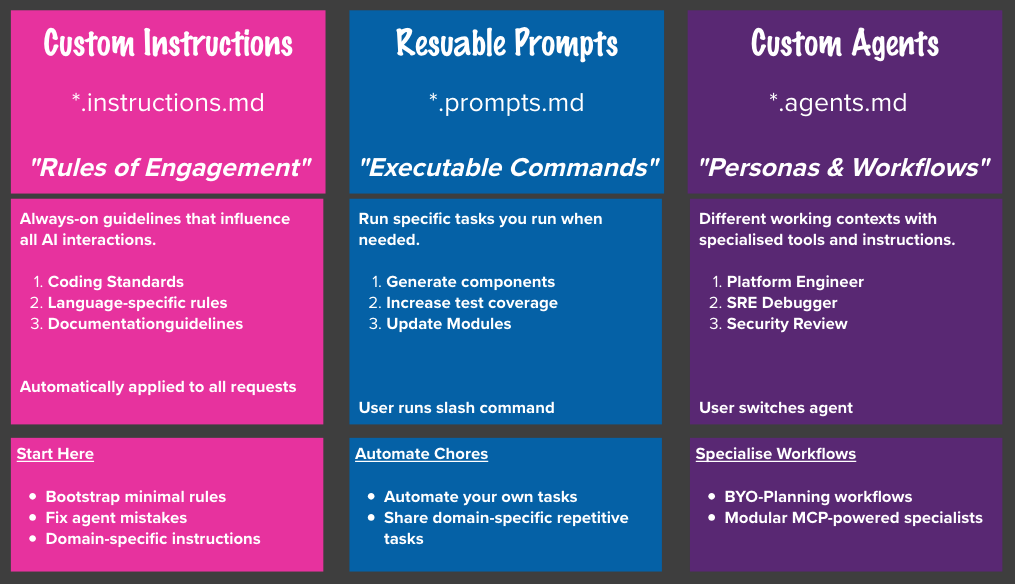
So in summary, the image below outlines the use cases for each option…
Tomorrow we will unpack Model Context Protocol (MCP) and go through how it compliments Github Copilot prompting to provide even more specialised knowledge and capabilities to connect data sources and external tools in a standardised way.